

People
Managing Customer Profiles and Records
Search customer records, review recent reservations and calls, and configure optional customer attributes for each facility in SpeakSport.
The Customers page is a facility-scoped customer record view in SpeakSport. Each profile brings together contact information, recent reservations, and recent calls associated with that customer so your team can look up who called and what they booked without leaving the dashboard.
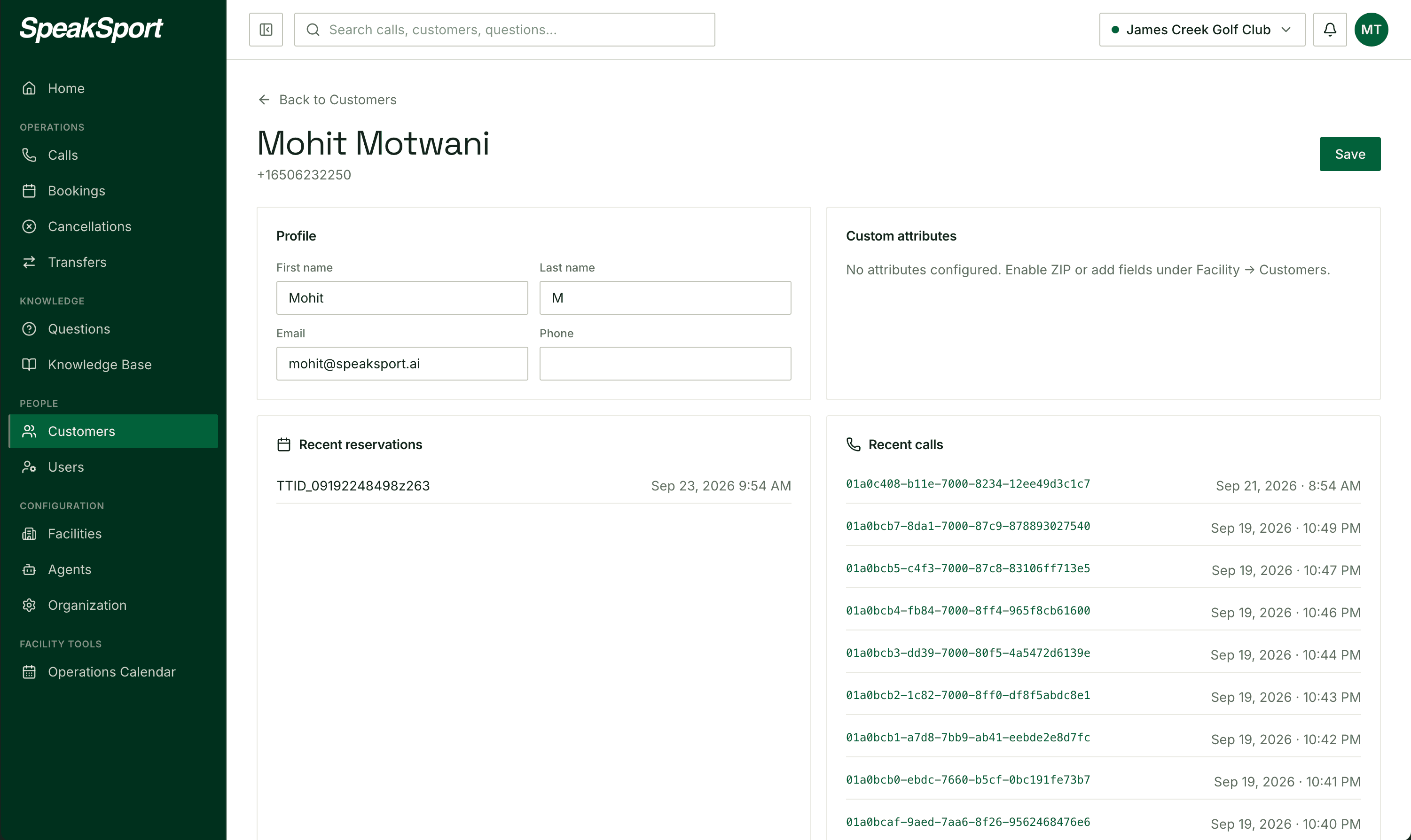
Use it to:
- Search for a customer by name or contact information.
- Review recent reservations and their statuses.
- Open recent calls from the customer profile.
- Correct customer contact details when needed.
Customer Attributes
Facilities can define optional customer attributes under the facility's customer settings. These fields are available for operational record-keeping and future workflows.
Configuring an attribute does not make the AI automatically collect or populate it during a call.
Operations Calendar
Use the Operations Calendar to give your AI agent time-bounded context about upcoming events, specials, maintenance windows, and closures at your facility.
Facilities
Manage facility details, plan operating hours for the whole year with seasonal schedules and overrides, and configure booking links and call templates.