

Configuration
Configure Post-Call Tags and Analysis Instructions
Add custom tags and LLM instructions so your AI agent applies facility-specific categories and focused analysis to every call after it ends.
Post-call analysis turns each conversation into structured, searchable data. In addition to the built-in intent, outcome, destination, and topic tags that SpeakSport applies automatically, you can define custom tags and provide focused instructions to make that analysis reflect what matters most at your facility.
Open post-call settings
Navigate to Facilities, select your facility, and open the Post-call tab.
Custom tags
Custom tags let you create facility-specific categories that go beyond the built-in tag set. Once defined, the AI evaluates each call and applies your custom tags whenever the criteria you describe are met.
Create a custom tag
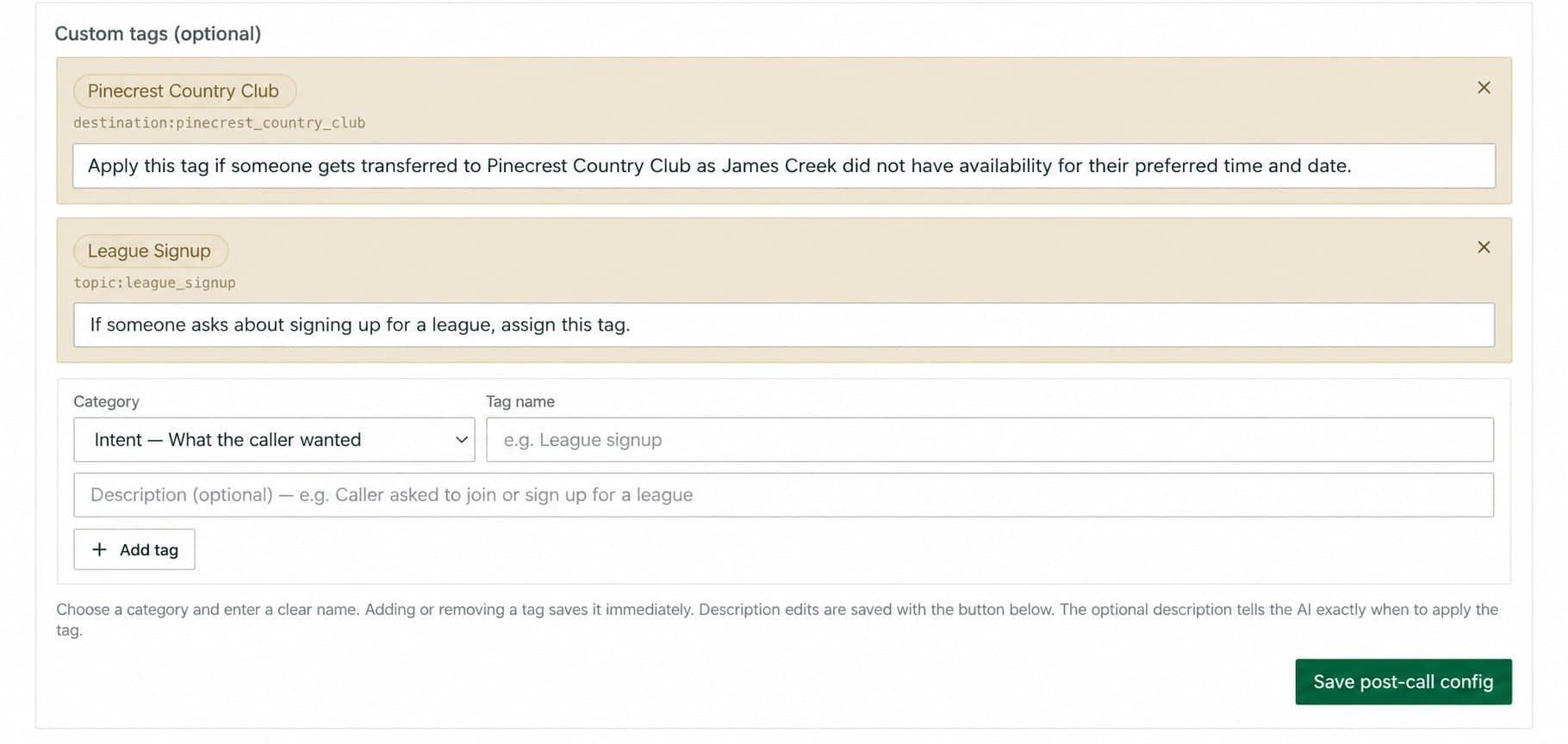
Choose a category
Select an existing category from the dropdown, or create a new one to group related tags under a shared namespace. Categories help you filter and report on tags as a set.
Enter a tag name
Type a clear, concise name for the tag. The name should reflect the specific idea you want to track, such as League Signup Inquiry rather than just League.
Add a description (optional but recommended)
Write a description that tells the AI exactly when to apply this tag. Be explicit about the conditions — the more precise your description, the more consistently the tag is applied.
Save the post-call configuration
Select Save to activate the tag. It will be evaluated on all subsequent calls for this facility.
Use one tag for one meaningful idea, and write descriptions as concrete criteria rather than topic headings. A description like "Apply this when a caller asks to join or sign up for a league" gives the AI a reliable signal. A vague label like "League" with no description leaves the AI to guess, leading to inconsistent results.
Custom LLM instructions
The Custom LLM instructions field is an optional free-text area where you can provide facility-specific guidance that the AI applies when generating call summaries and extracting data.

Use this field for focused, factual instructions such as:
- Paying close attention to a specific program name or membership tier.
- Noting when a caller references a particular course or facility area.
- Flagging a specific caller request that is important to your operations team.
Keep instructions short and directly related to post-call analysis. The AI performs best when guidance is specific and unambiguous.
Do not place passwords, phone credentials, or unrelated call-routing rules in the Custom LLM instructions field. This field is for post-call analysis guidance only. Sensitive credentials entered here are not secured appropriately for that purpose, and routing rules belong in your Call Transfer configuration.