

Call Management
Transfers: Review Calls the Agent Routed to Your Team
See every call the AI agent transferred to another destination — pro shop, restaurant, events desk, and more — along with the reason for each transfer.
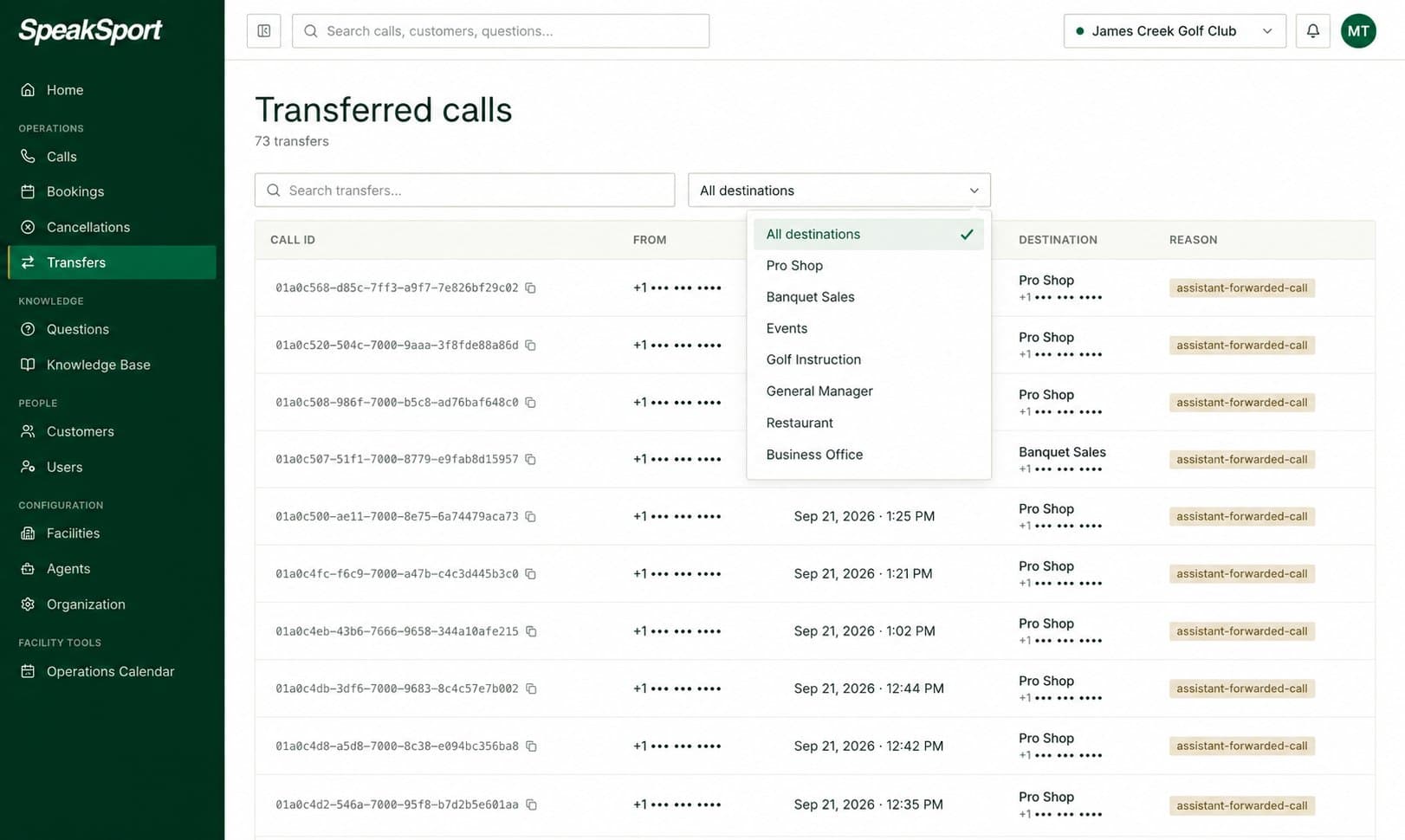
The Transfers page shows every call the SpeakSport agent routed to another destination at your facility. When a caller's need falls outside what the agent can handle on its own — a complex event inquiry, a billing question, a request to speak with a specific person — the agent transfers the call and logs it here. Use this page to monitor transfer volume, confirm calls reached the right team, and spot patterns that might indicate gaps in how your agent is configured.
Find transfers
Use the controls at the top of the Transfers page to locate specific calls.
| Control | What it does |
|---|---|
| Search box | Enter a phone number or Call ID to find a specific transfer. |
| Destination filter | Select a destination to show only transfers routed to that location. |
What each row shows
Every row in the Transfers list represents one transferred call and displays the following information at a glance:
| Column | Description |
|---|---|
| Call | The Call ID and a link to the full call record. |
| Caller number | The phone number of the caller who was transferred. |
| Time | The date and time the transfer occurred, in your facility's timezone. |
| Destination | The team or location the call was sent to (e.g., Pro Shop, Events Desk, Restaurant, Business Office). |
| Transfer reason | A brief description of why the agent initiated the transfer. |
Transfer destinations
The destinations listed in the Transfers page and in the destination filter are defined by your facility's call transfer configuration. To add, edit, or remove transfer destinations, go to Call Transfer Configuration.
Calls
Find and review every inbound call handled by your AI agent. Filter by date, status, direction, tags, and more, then export results as a CSV.
Questions
Browse clusters of similar caller questions to spot recurring topics, identify knowledge gaps, and decide where your Knowledge Base needs improvement.